
Nero Platinum Suite 2026 Review: More Than Just Burning Software?
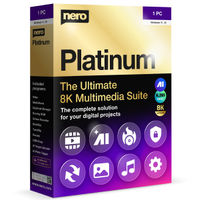 Many still know Nero from the days when burning CDs and DVDs was common practice. But anyone taking a look at the current Nero Platinum Suite 2026 today will quickly realize: the company has long since evolved into an extensive multimedia platform. In addition to classic burning functions, the overall package now includes video editing, photo management, backup solutions, AI tools, and system optimization.
Especially for users who want to complete as many tasks as possible with a single software, Nero seems more interesting today than ever. Instead of buying a separate program for every task, the suite bundles numerous tools under one interface. According to the manufacturer, the current version includes over 500 features and solutions for media management, editing, and data backup.
What Exactly is the Nero Platinum Suite 2026?
This is precisely where the biggest difference to many modern individual applications lies. Nero does not follow the approach of a specialized single solution; instead, it aims to combine as many digital tasks as possible into one package. This includes video editing, AI-supported image enhancement, file backup, media management, file conversion, and classic burning functions.
The current suite includes, for example, Nero Video, Nero Burning ROM, Nero BackItUp, Nero MediaHome, Nero Recode, Nero DuplicateManager, and several AI-based tools for images and videos.
Can Nero Do More Than Just Burn CDs and DVDs Today?
Yes, burning data carriers is now only a small part of the entire suite.
While Nero Burning ROM is still included, other functions are now the main focus. The expansion of AI tools for image enhancement, photo management, and video editing is particularly visible. In addition, there are backup solutions, media organization, file conversion, and tools for system optimization.
What’s interesting is that Nero runs many AI functions locally on your own computer. For private photos, in particular, this can be an advantage because the images do not necessarily have to be uploaded to external cloud services.
What AI Functions Does Nero Offer Now?
Nero is now focusing heavily on AI-supported image and video enhancement.
One of the best-known tools is the Nero AI Image Upscaler. This can upscale images, sharpen details, and improve older or blurry shots. Additionally, Nero offers AI-based photo recognition, automatic tagging of images, and various optimization functions for media archives.
In the video sector, Nero is also working on AI-supported solutions. The current version of the AI Video Upscaler supports batch processing, presets, and new reconstruction models to improve image details.
The development over the last few years is exciting. Nero is visibly investing in modern AI tools and regularly expands them with new models and features. Community discussions also show that topics such as image enhancement, object recognition, and future video AI are currently an important focus.
Is Nero Suitable for Video Editing?
Yes, for beginners and advanced hobbyists, Nero Video offers a surprisingly large range of functions.
With Nero Video, you can edit, dub, export, and add effects to videos. Supported features include picture-in-picture effects, time-lapse, slow motion, alpha channels, and numerous templates for different projects. The current version also comes with a Dark Mode for a more pleasant working environment.
Those producing professionally for large YouTube channels or agencies will likely continue to rely on specialized solutions like Adobe Premiere Pro or DaVinci Resolve. However, for family videos, social media projects, travel videos, or smaller business content, Nero already provides many tools in a comparatively easily accessible interface.
Can I Organize and Manage My Photos with Nero?
Yes, the suite contains extensive functions for photo management and archiving.
With Nero MediaHome and the AI Photo Tagger, large image archives can be structured, searched, and automatically categorized. Faces can be recognized, images rated, and similar or duplicate files found. In addition, photos can be organized by location or time period.
Users with many years of smartphone and camera photos especially benefit from this, because cluttered archives can be cleaned up much faster.
How Good are Nero’s Backup Functions?
Nero remains one of the few multimedia suites that also brings an integrated backup solution.
With Nero BackItUp, data can be backed up to external hard drives, optical discs, or cloud storage. This means the suite not only covers creative tasks but also supports long-term data backup.
For many private users, this combination is exactly what is interesting: editing photos, cutting videos, managing media, and simultaneously backing up important data – all within one software package.
Is the Nero Platinum Suite 2026 Still Worth It Today?
Yes, if you are looking for a central multimedia solution and do not want to install a separate program for every task.
Nero’s greatest strength is not in replacing individual special programs. The strength lies in providing many typical tasks related to photos, videos, backups, data carriers, and media management in a single environment.
The suite seems particularly interesting for families, content creators in the hobby sector, photographers with large archives, and users who want to manage their media locally. The current AI functions also ensure that Nero should no longer be perceived only as a classic burning program.
Who is Nero Particularly Suitable For?
Nero is primarily suitable for users who are looking for the most complete multimedia collection possible under Windows.
If you regularly edit videos, organize photos, back up files, convert media, or still work with CDs and DVDs, you get an unusually broad overall package here. Exactly this combination is rarely found in a single software suite today.
My impression: Nero has developed significantly further than many users assume. Anyone who still knows the software from the CD-burning era will be surprised at how strongly AI tools, media management, and content creation are the focus today. At the same time, the classic strength in burning, archiving, and backing up data remains. This creates an interesting all-in-one solution for everyone who wants to cover as many digital tasks as possible with one piece of software.
You can discover Nero Platinum Suite here, at attractive prices.




