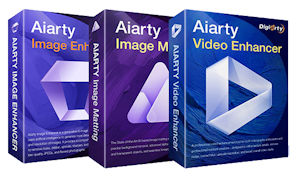
 Anhancing photos, saving old recordings, removing backgrounds, or upscaling videos to a higher resolution: This is exactly where Aiarty comes in with its AI-powered desktop programs. In the current Aiarty 2026 Exclusive Sale, several programs for various photo and video tasks are available.
In this overview, I will show you which Aiarty products are worth a look, what they are suitable for, and when taking advantage of the current deal makes sense.
What is Aiarty?
Aiarty is a software brand by Digiarty Software that develops AI-based desktop applications for enhancing images and videos as well as for precisely removing image backgrounds.
An important detail: According to the manufacturer, processing takes place locally on your own computer. Photos and videos do not necessarily need to be uploaded to an external cloud service for the actual processing. This can be particularly interesting for personal photos, family shots, or business images.
Which Aiarty Products Are Available?
Three main programs currently take center stage for different tasks: Aiarty Image Enhancer, Aiarty Image Matting, and Aiarty Video Enhancer.
The Image Enhancer focuses on improving photos and other images. Among other things, it can reduce noise, sharpen images, restore details, and increase resolution.
Image Matting takes a different approach. The program specializes in precise subject isolation and background removal. This is useful for product photos, portraits, social media graphics, or creative designs.
The Video Enhancer, on the other hand, takes care of video material. It can upscale videos, reduce noise and blur, and improve details and overall image quality.
Who Are the Aiarty Programs For?
Aiarty is not aimed solely at professional photographers or video creators. Personal users can benefit from these programs as well.
A typical example is older family photos. Many shots from past years are only available in low resolution or look blurry on modern monitors. An AI image enhancer can try to restore missing details as naturally as possible.
There are also interesting use cases for e-commerce, content creation, social media, and graphic design. Product images can be isolated or output in higher quality.
Why Can Local AI Processing Be Advantageous?
With cloud-based AI services, images or videos often have to be uploaded to a server first. With a locally operating desktop application, processing takes place right on your own machine.
Aiarty describes its programs as locally running AI software. As a result, the source files remain on your device throughout the workflow. Especially with private photos or confidential business content, this can be a key factor.
Which Aiarty Program Do I Need?
That depends primarily on your source material and desired outcome.
If you want to enhance, denoise, sharpen, or upscale photos, Aiarty Image Enhancer is the right place to start.
If you want to cleanly cut out a subject from a photo and remove the background instead, Aiarty Image Matting is the more relevant solution.
For enhancing video material, Aiarty Video Enhancer is the dedicated tool.
Conclusion
Aiarty is an appealing choice if you regularly work with photos or videos and want to perform specific enhancements as effortlessly as possible using AI. I find the approach of processing files locally on your own PC particularly compelling.
If you want to try out Aiarty, I wouldn’t just buy any version blindly — check the current promotion first. Prices, licensing models, and bundled offers can vary during the Aiarty 2026 Exclusive Sale.
Check out the current offer: Aiarty 2026 Exclusive Sale
Note: Of course, you can also opt for individual program offers.