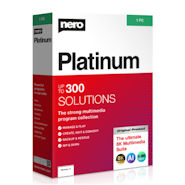
With the Nero Platinum Suite 2027, the next generation of the popular multimedia software is in the starting blocks. Nero introduced the latest features on October 8, 2026. The new version is scheduled for official release on November 3, 2026. If you don’t want to wait until then, you can already pre-order the software.
The current offer is particularly interesting: Instead of the regular recommended retail price of 149.95 euros, the Nero Platinum Suite 2027 costs only 66.95 euros on pre-order. You get a lifetime license. The price is around 55 percent lower than the stated regular retail price.
But is it worth upgrading to the new version? Which features are actually new, and who is Nero Platinum 2027 for?
Nero Platinum Suite 2027: The Key Points at a Glance
The Nero Platinum Suite bundles various programs for editing, managing, and backing up multimedia content. These include video editing, image processing, CD ripping and burning, as well as photo and video management.
In the 2027 edition, the announced improvements focus primarily on concrete workflows. These include working with subtitles, managing media files, digitizing audio CDs, and batch processing images.
- Product: Nero Platinum Suite 2027
- Pre-order price: 66.95 euros
- Stated regular price: 149.95 euros
- License: Lifetime (perpetual)
- Announced release for pre-orders: October 27, 2026
- Official release date: November 3, 2026
What’s New in Nero Platinum Suite 2027
1. Nero Video: Automatically Create and Edit Subtitles
One of the most interesting innovations concerns Nero Video. Anyone who produces videos for YouTube, social media, training, or their own website knows the effort involved in creating subtitles.
With Nero Platinum 2027, handling subtitles has been expanded. SRT files can now be imported and exported. Additionally, subtitles can be generated using speech recognition and subsequently corrected manually.
This is particularly helpful if you regularly produce explainer videos or software tutorials. Subtitles can make videos easier to understand and help people who prefer watching videos without sound.
Automatic detection takes away part of the manual work. However, a final review remains essential, as technical terms, product names, or unclearly spoken words might be misrecognized.
A practical test will need to show how reliably speech recognition works with complex text and specialized terminology.
2. Nero Recode: Export DVD Subtitles Separately
Nero Recode also receives a practical upgrade. DVD subtitles can now be exported as external SUB/IDX files.
The advantage: Subtitles no longer have to be permanently burned into the video frame. They can be stored separately and used independently of the video material in suitable playback and editing applications.
This is especially interesting for users who want to digitize their video collection, archive existing content, or prepare video files for different playback devices.
However, this feature is more of a targeted improvement for specific workflows rather than a novelty every user will need daily.
3. Nero MediaHome: Search Media Directly via Windows Folders
Nero MediaHome serves as a central hub to manage photos, videos, and other media files. In the 2027 version, access via the familiar Windows folder structure has been expanded.
You can now browse your media directly through the folders where you stored them. At the same time, smart categories such as people and places remain available.
This is a sensible combination for anyone who wants to maintain their own file organization system. Not everyone wants to organize their photos and videos exclusively via a central media library.
Especially with larger collections, it can be useful to switch between the familiar folder structure and a view sorted by content.
4. Nero Burning ROM: Digitize Audio CDs More Conveniently
Nero Burning ROM is one of the most famous applications in the suite. Even though optical media have lost importance in everyday use, the software remains relevant for collectors and users with extensive CD archives.
In Nero Platinum 2027, ripping audio CDs becomes significantly more convenient:
- Reusable settings for recurring tasks
- Automatic CD ejection after ripping
- An acoustic signal as soon as the process is completed
- Improvements to metadata and Gracenote integration
- Expanded support for CD image files
Anyone digitizing many audio CDs will benefit from these convenience features. When processing multiple CDs in sequence, the process requires less manual monitoring.
While these additions aren’t a fundamental overhaul of the software, they can noticeably ease the workload when dealing with large CD collections.
5. Nero Screen Recorder: Adjust Mouse Cursor and Audio Retrospectively
Screen recordings are helpful when explaining software, creating guides, or documenting workflows.
The Nero Screen Recorder receives additional post-processing options in the new version. Among other things, the style and size of the mouse cursor can be changed after recording. Furthermore, the volume balance of individual audio channels can be adjusted.
This is handy for software tutorials, for example: A more visible mouse cursor helps viewers follow individual steps.
Note: According to product information, only the basic version of the Screen Recorder is included in the Platinum Suite. Certain Pro features require a separate upgrade.
6. Nero AI Image Upscaler: More Convenience in Image Editing
AI-assisted image editing remains a topic for Nero as well. In the 2027 version, the Nero AI Image Upscaler receives a cropping tool and expanded batch processing capabilities, among other features.
The following limits have been announced:
- Up to 100 images per import
- Up to 20 images per export batch
This is particularly useful if you want to edit many photos at once. Instead of opening each file individually, you can prepare multiple images together for processing.
A cropping tool is also practical if you want to adjust image sections before or during processing.
However, when evaluating the AI features, an important restriction applies: According to product information, the Platinum Suite includes the Basic version of the AI Image Upscaler. The Pro version is not automatically included in the package.
Furthermore, the announced updates do not yet allow any conclusions about how much image quality has improved compared to the previous version. That would require comparative tests using identical source material.
Nero Platinum 2027 vs. Version 2026
At first glance, the new features look less like a complete restart and more like an evolution of the existing suite. Nero Platinum 2026 already offered improvements to the Nero Video interface, the AI Image Upscaler, screen recording, and AI-assisted functions.
The 2027 version focuses more heavily on individual workflow steps. Subtitle editing, more convenient CD ripping, and batch image processing stand out as concrete improvements.
Deciding between the versions depends on which programs you actually use.
If you mainly use Nero to burn occasional CDs, the new features alone might not be decisive. If, on the other hand, you regularly edit videos, create subtitles, or manage large media collections, the improvements could be more interesting.
How Much Does Nero Platinum Suite 2027 Cost?
The current pre-order deal makes the new version attractive in terms of price.
| Pricing Info | Amount |
|---|---|
| Stated regular retail price | 149.95 euros |
| Current pre-order price | 66.95 euros |
| Price savings | 83.00 euros |
| Discount vs. recommended price | around 55% |
You pay 83 euros less than the stated regular retail price.
The license terms are important: The offer is designated as a lifetime (perpetual) version. You are not purchasing a license that automatically expires after a fixed period. However, this does not automatically imply that future major releases or all additional Pro features will be included for free.
Before purchasing, you should check which specific programs and feature sets are included and which add-ons might be offered separately.
Pre-order Nero Platinum Suite 2027 now for 66.95 euros
Note: Prices and promotional terms are subject to change. The details on the official deal page apply.
Who Is Nero Platinum Suite 2027 Worth It For?
Nero Platinum 2027 is aimed at users who want to handle various multimedia tasks with a unified software suite.
- Video creators: The expanded subtitle tools can assist with tutorials, explainer videos, and other video projects.
- Photo enthusiasts: Batch processing and AI image editing are useful for larger photo collections.
- CD collectors: Ripping improvements make digitizing audio CDs more convenient.
- Owners of large media collections: Access via the Windows folder structure offers an additional way to manage photos and videos.
- Users needing multiple tools: Anyone looking to edit video, photos, and audio files can benefit from the combined bundle.
The upgrade may be less compelling for users who only need a single function and are satisfied with their current software. In this case, it pays to take a close look at the tools you actually need.
Conclusion: Nero Platinum Suite 2027 Is a Targeted Update with an Attractive Pre-Order Price
The Nero Platinum Suite 2027 brings several sensible improvements to multimedia workflows. Subtitle editing in Nero Video, easier CD ripping, and expanded capabilities in the AI Image Upscaler provide practical daily value.
However, based on the information published so far, there is no evidence of a fundamental technological leap. Rather, Nero refined existing programs in selected areas.
The pre-order deal is competitively priced: 66.95 euros instead of 149.95 euros represents a saving of 83 euros, or roughly 55 percent off the suggested retail price. The lifetime license makes the offer especially attractive for users seeking a multimedia suite without an expiring subscription.
My conclusion: If you already use Nero and regularly work with videos, images, or audio CDs, the new version is worth a close look. If you are looking to enter the Nero ecosystem for the first time, the pre-order deal is equally interesting. However, your decision should depend on whether you truly need the included programs and whether the Basic versions of the AI tools suffice for your needs.
Get the Nero Platinum Pre-Order Deal for 66.95 euros instead of 149.95 euros