
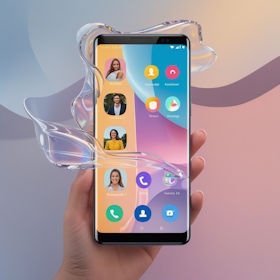
 DroidKit Review: The All-in-One Solution for Android Problems?
When your smartphone suddenly stops working, things get frustrating fast. Data is gone, the device is locked, or the system crashes – and often the only apparent solution is buying a new one. This is exactly where DroidKit comes in. The software promises nothing less than a complete solution for almost every Android problem.
The key question is: Can a single tool really cover all these use cases – or is it more marketing than reality?
What is DroidKit?
DroidKit is a desktop tool for Windows and macOS that combines several common Android problem areas into one interface. Instead of using multiple specialized tools, you get a toolkit for:
-
- Data recovery
- Device unlocking
- System repair
- Data management
- Android reinstallation
The approach is clear: automate as much as possible so even beginners can use it without technical knowledge.
DroitKit Key Features at a Glance
1. Data recovery – even without backup
One of the strongest areas is data recovery. According to the manufacturer, DroidKit can recover photos, messages, contacts, WhatsApp data, and more – even without a backup.
There are two modes:
- Quick Recovery → direct and without root
- Deep Recovery → more thorough scan, requires root
The quick mode is particularly interesting because it works without system modifications. In practice, success depends heavily on whether the data has already been overwritten.
2. Unlock screen without password
Forgotten PIN, broken display, or biometric unlock not working – typical scenarios.
DroidKit can:
- Remove PIN, pattern, and password
- Bypass fingerprint and face unlock
Important: In most cases, all data will be erased. This is technically unavoidable and not a drawback of the tool itself.
3. Bypass FRP lock
Factory Reset Protection (FRP) is a security feature from Google. It becomes problematic with used devices or forgotten account credentials.
DroidKit offers an automated solution for many manufacturers like Samsung, Xiaomi, or Motorola.
4. Repair Android system
If the device no longer boots properly, freezes, or apps crash, things get complicated. DroidKit promises a “no root” repair for typical issues.
5. Manage and transfer data
In addition to emergency tools, there are also classic features:
- Backup data to PC
- Transfer content between devices
- Export or import files
6. Reinstall Android
DroidKit simplifies flashing significantly with automatic firmware detection and installation.
Strengths of DroidKit
- beginner-friendly
- many features in one tool
- no prior knowledge required
- broad device support
Weaknesses and Limitations
- limited support for some devices
- root required for deep recovery
- data loss when unlocking
- recovery not guaranteed
Who is DroidKit for?
Ideal for beginners and users looking for an easy all-in-one solution. Less suitable for advanced users.
Conclusion




